Customizable on-screen crosshair overlay for Android precision
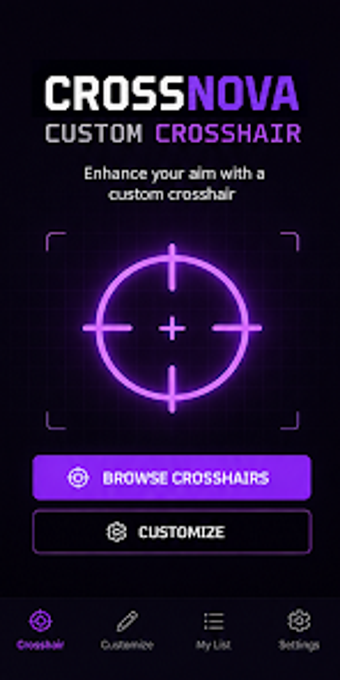
Experience precise on-screen aiming with CrossNova - Custom Crosshair by EPaper App, a mobile utility that places a persistent overlay for aiming and screen orientation. The app lets users design and save crosshairs with color pickers supporting RGB/Hex, adjustable size and opacity, and preset collections for fast setup. It targets mobile users and gamers who need persistent visual reference points and offers quick style switching and lightweight operation for everyday use.
What the app provides as an overlay utility
The app places a persistent crosshair overlay that runs independently of other software and stays on top of active applications. It supplies multiple designs and collections plus quick customization tools. Key controls include:
- color selection with RGB/Hex support
- size and opacity sliders for precise scaling
- preset collections for immediate setup
Does the app affect device performance during use?
The developer describes the interface as lightweight and simple to reduce system impact, and the app is built to provide a smooth user experience without significantly affecting device performance. Real-time adjustments such as rapid style switching and on-screen sliders are designed for immediate feedback, which supports short tuning sessions during gameplay or other activities without lengthy delays.
Is it safe and non-intrusive to run over other apps?
The overlay operates independently and the app is explicitly not affiliated with any game publishers, so it functions as a standalone customization tool rather than an integrated game component. Because it simply renders a top-layer crosshair, the intended interaction is visual only; the app does not claim game integration or publisher endorsement, which reduces risk of in-game conflicts tied to third-party partnerships.
Do I need technical knowledge to configure crosshairs?
The interface favors quick setup through presets and simple sliders for size and opacity, allowing casual users to get a working overlay without technical steps. In addition, granular controls such as exact RGB/Hex color input and fine scaling support advanced users who want pixel-level color matching or specific transparency values. The mix of presets and precise controls covers both casual and power-user needs.
Suitable for Android mobile users who want a persistent aiming aid
CrossNova is a practical option for mobile users and gamers seeking a persistent on-screen reference; it provides both quick presets and precise visual controls. The clear limitation is platform scope, as the app is available only for Android devices, so users on other platforms cannot use this overlay solution. For Android users needing a lightweight, adjustable crosshair, it performs as intended.